
✅ HOW TO: Share links and communicate
Use the tools in this area to communicate effectively with guests.
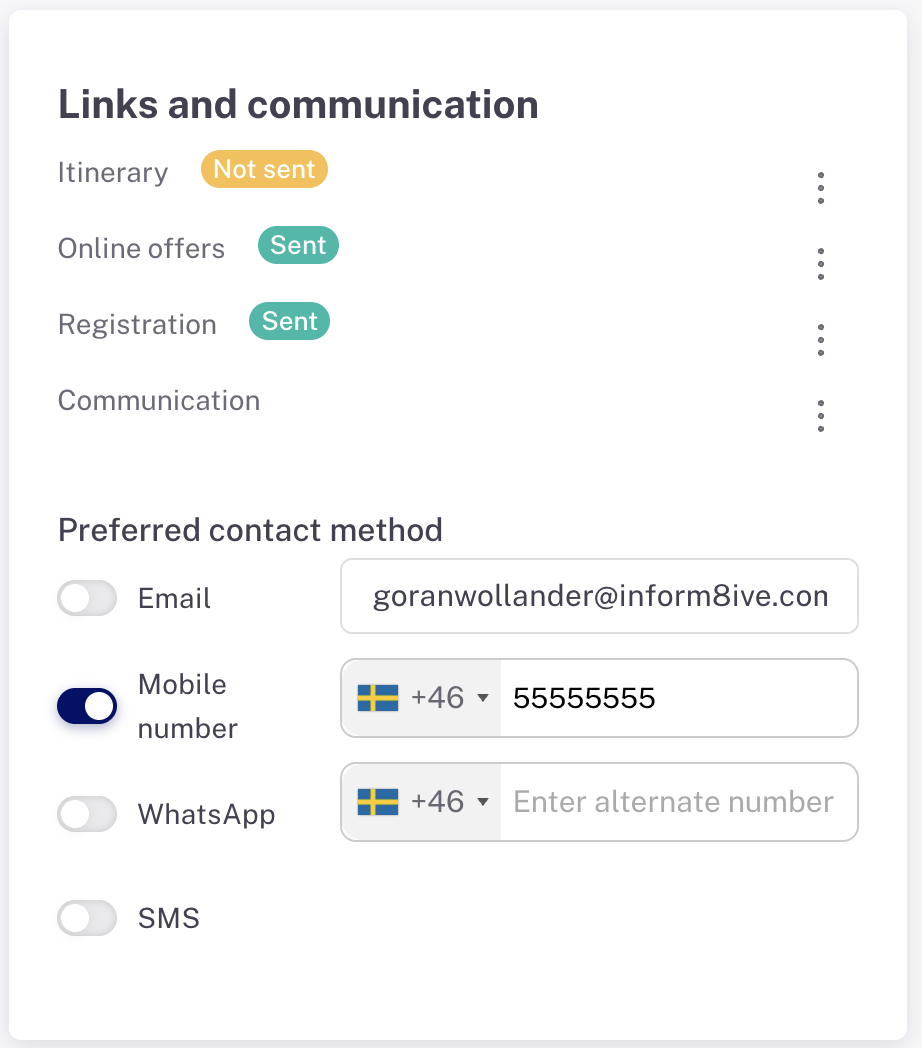
Preferred contact method
Setting a 'Preferred contact method' lets everyone on your team know that it's the best way to reach a guest. Only one 'preferred contact method' can be set as active, although there's no reason you can't display both the guest's preferred email and mobile numbers for handy reference.
Actions
There are four modules with specific communications links; Itinerary, Online offers and Pre-registration. Under each of these three, you have the option to:
- Copy the link
- Send the link to the guest via email
In addition, with pre-registration, you can:
- Print a registration form. This form is more detailed than the online pre-registration form and you may find it useful for having guests sign at check-in or reporting properly to your local tax authority. This form will contain the essential information you collected manually or when a guest completed the pre-registration form.
- You can customize the printable form in Settings > Form Templates.
- You can determine which fields to display and/or require in Settings > Guest information
Under 'Communication,' you can compose an email based on an existing template. For example, if you'd like to send a reminder email with FAQs about your property. A WhatsApp link opens WhatsApp web. And if you have an Apple computer or Microsoft Phone Link activated on your PC, you can text or call a guest by clicking the phone or text icons.