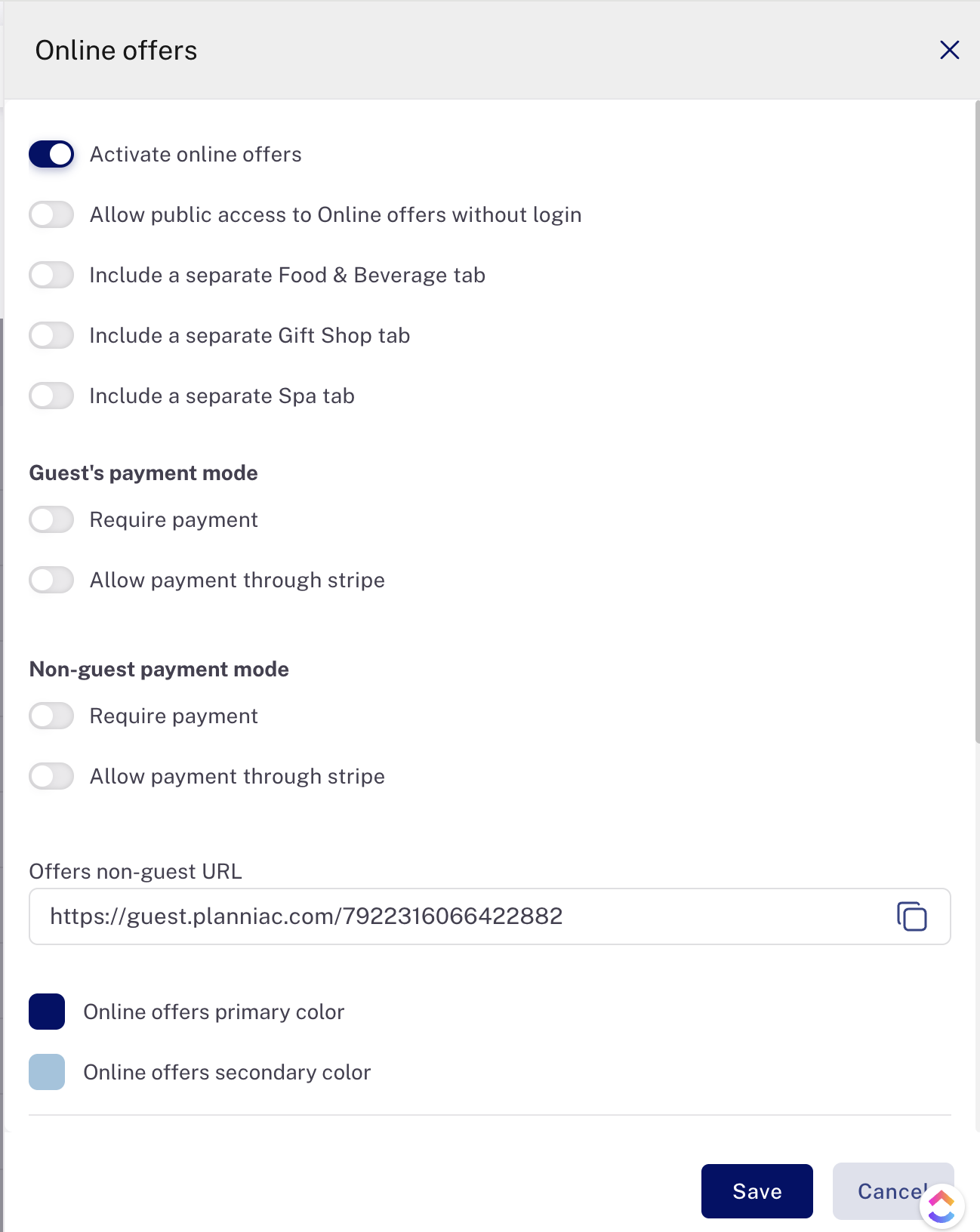
Settings > Online offers (upsell)
Online Offers are upsell activities or services that you offer.
Settings for Online Offers consist of these pages:
- Settings (on the top right of the page)
- Arrange offers (first tab on left)
- Display grouping (second tab on left)
Settings
First, find the 'Offers settings' button located on the far right of the page.
When you open it, you'll see several settings that need to be adjusted to optimize your public offers page.
Activate online offers. Of course, this will need to be toggled 'on' for your offers to appear.
Allow public access to Online Offers without login. Turn this 'on' if you would like to allow anyone to access this page.
Include a separate Food & Beverage tab. This is useful if you want to offer some F&B items under special circumstances -- like bottle of champagne for a special arrival, or a birthday cake for a celebration. It's meant to offer a limited set of F&B items to guests. However, it is not meant to be a full-scale POS -- you'll need another solution solution for that like Toast, Lightspeed or Poster.
Include a separate Gift Shop tab. Like the F&B tab, this can be useful if some of your upsell items fall in the Gift Shop category. For example, if you have a beach resort and you want to offer a 'Souvenir Beach Towel and Sunscreen' package.
Include a separate Spa tab. If you do this, all activities of the SPA type set to be Online Offers will show up in the tab. You can also feature some on the main Offers page by including them in other groupings.
Guest's payment mode
Now you have some choices for how a guest will order the activity. Either:
- Request only
- Payment via Stripe
- Require payment via your own Stripe account
- Or allow payment via your own Stripe account
The same two options are available for both guests and outside guests.
If you toggle one of these options on, the option will appear on your Online Offers page.
Set your color scheme
And finally, you can set the text colors that will appear on the page. Primary is body text, and secondary is for headline and subheads.